The WFH Lighting Formula
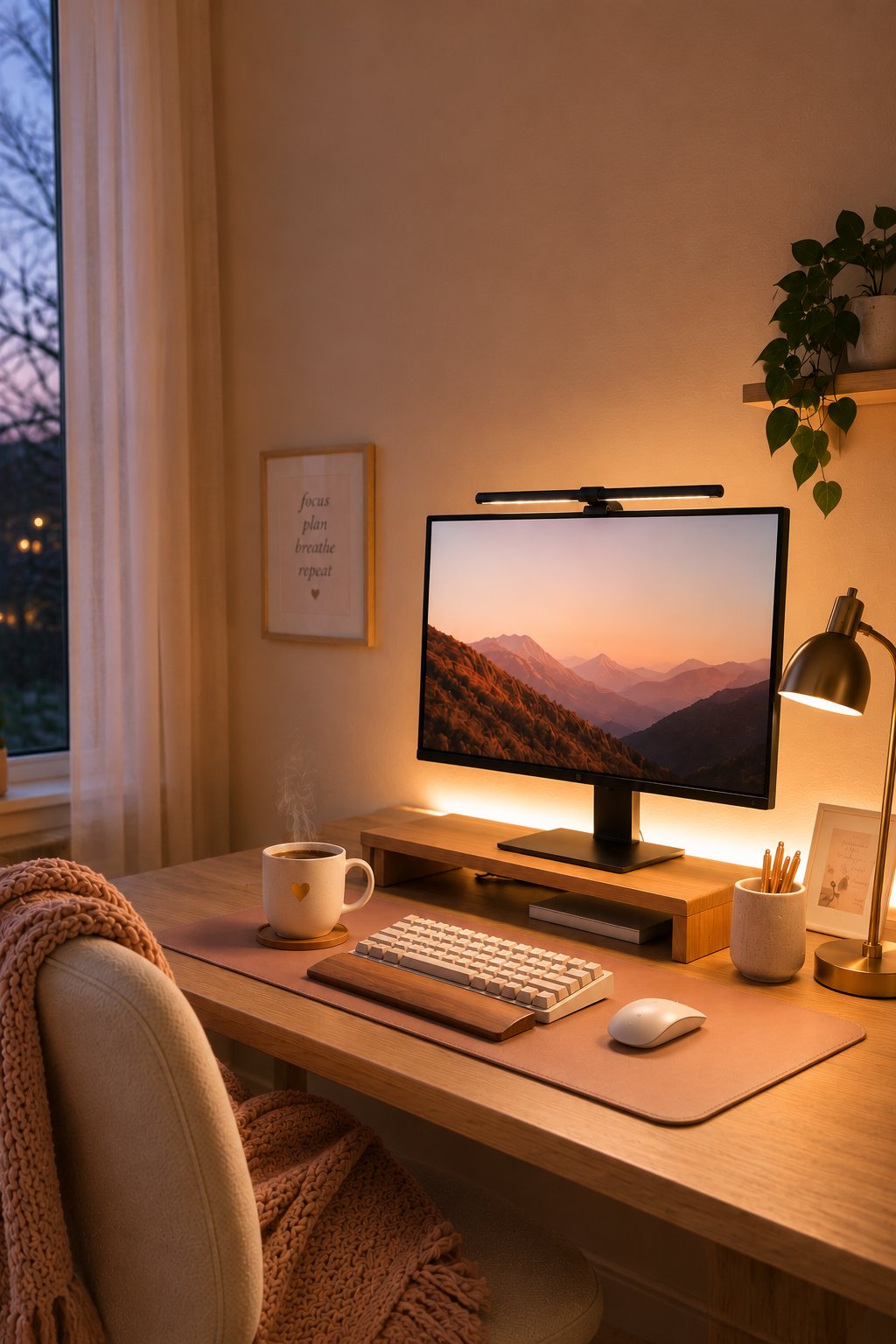
If you find yourself squinting at your screen by 3:00 PM, rubbing your temples, or fighting off a dull afternoon headache, you don’t need a new prescription. You need to fix your lighting.
Most home offices suffer from what designers call 'flat lighting'—either a single, harsh overhead light that makes your room feel like an Old Navy dressing room or a pitch-black room with a blindingly bright computer screen. Both of these setups force your eye muscles to work overtime, leading to fatigue, dry eyes, and headaches.
You don't need an expensive electrician. By using the simple 3-Layer Lighting Formula and a few highly-targeted finds under $30, you can completely eliminate eye strain while creating the coziest workspace in your house.
The 3-Layer WFH Lighting Formula
To protect your eyes, you need to balance the light in three distinct zones: Task, Ambient, and Back-glow (Bias). When these three layers work together, the contrast in your room softens, and your eyes can instantly relax.
Layer 1: Task Lighting (The Monitor Light Bar)
The Job: To illuminate your physical workspace (your keyboard, desk mat, and notebook) without casting glare on your screen.
Why it stops eye strain: Standard desk lamps often reflect off the computer glass, forcing your eyes to fight the glare. A monitor light bar sits on top of your screen and projects light down and forward at an angle, completely avoiding the screen.
The Amazon Enabler: Shop my Favorite Sleek Monitor Light Bar on Amazon
Layer 2: Ambient Lighting (The Warm Desk Lamp)
The Job: To cast a soft, warm glow around your desk area, cutting through the sterile 'office' feel.
Why it stops eye strain: It fills the room with soft, indirect light so your computer screen isn't the only source of illumination. Always look for a warm 2700K LED bulb to keep the vibe relaxing and library-like.
The Amazon Enabler: Shop the Vintage Brass Desk Lamp on Amazon
For smart bulbs, this is the only one I'll use.
Layer 3: Bias Lighting
The Job: To project a soft halo of light directly onto the wall behind your monitor.
Why it stops eye strain: When you look at a bright monitor in a dimmer room, your pupils constantly dilate and contract as they move between the bright screen and the dark background. This constant adjustment is the #1 cause of WFH fatigue. Placing a soft back-glow behind your screen equalizes the contrast so your pupils can stay relaxed.
The Amazon Enabler: Shop USB LED Bias Lighting Strips on Amazon
Quick Tips for the Ultimate Cozy Setup
Match your temperatures: Keep your ambient lamp and bias light set to 'Warm White' (2700K). This mimics natural sunset light and tells your brain it’s okay to wind down.
Keep it automatic: Plug your desk lamp into a cheap smart plug or outlet timer so it automatically turns on at dusk, gently easing you into your evening routine.
Some links on this site are affiliate links — meaning if you buy something I recommend, I may earn a tiny commission at no extra cost to you. I only ever share things I genuinely use and love. Thanks for supporting this little corner of the internet. 💚
Get Thriving-ish on Substack
Sharing lessons I'm learning powered by sarcasm and double shots of espresso. Articles every Tuesday. Notes daily.
Subscribe